Snake game GitHub repo and source
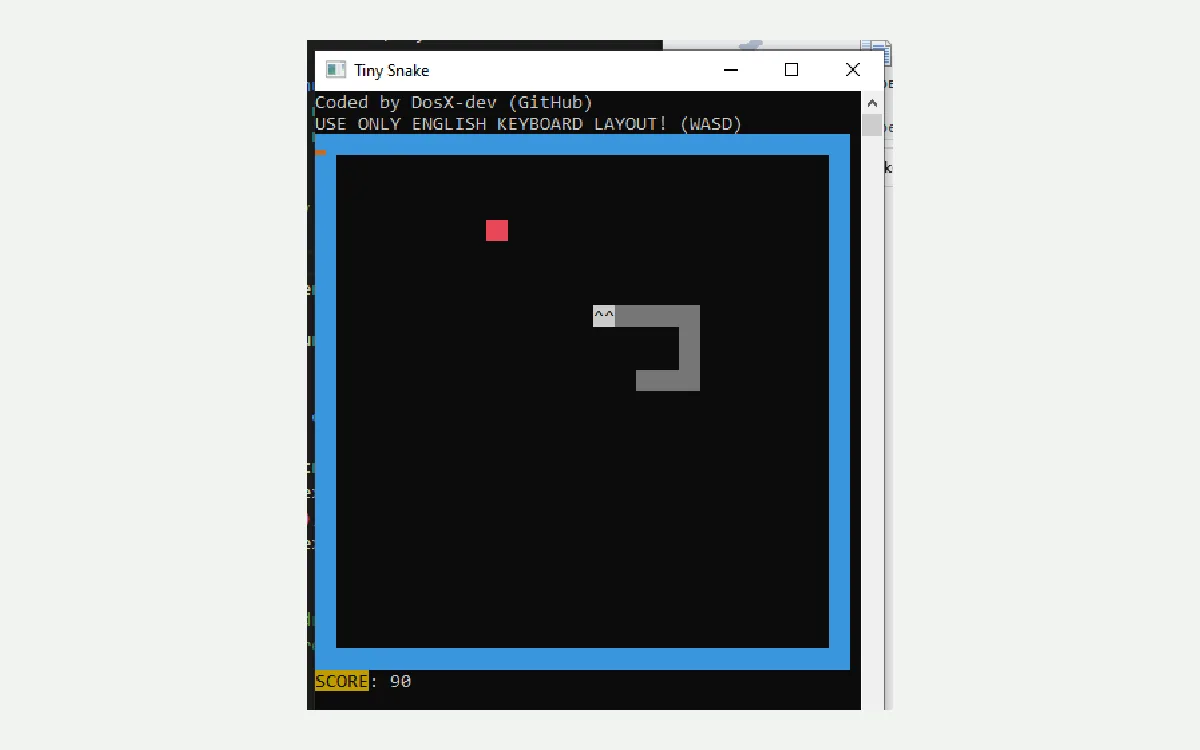
The snake game this guide maps lives at DosX-dev/TinySnake-game on GitHub under the MIT licence. Source is small C code aimed at a tiny Windows exe. You read the tree to confirm what you run, then take Builds assets instead of trusting a random zip from a search ad.
Stars, forks, and open issues change over time; this site injects live counts at build time rather than typing them into prose. What stays stable is the habit: open the official repository, open Releases, confirm TinySnake.x64.exe or TinySnake.x32.exe, then download.
README requirements list Windows 95 or newer, about one megabyte of memory, and roughly 3.5 KB of disk. Gameplay notes say borders wrap, apples are worth ten points, and you should use an English keyboard layout. Do not resize the window mid-run if you want a stable renderer.
Keep the Releases door obvious
- Prefer TinySnake.x64.exe on Builds
- Skip survey portals that rename the setup
- Prove one local snake game run
Security reports belong on the repository security tab. No third-party audit is claimed upstream. Treat that honestly when you decide whether a portable snake game fits a locked-down lab. Prefer Releases over advertising mirrors either way.
Vendor homepage metadata points at dosx.su. For installs, this guide still prefers the GitHub Releases door because that is where the named Windows exes ship. Keep off-site links opening in a new tab with noopener when you leave these pages.
Developers who want to compile from source should follow upstream files rather than inventing build steps here. This install guide stays focused on the published Builds binaries for a Windows snake game path. Classroom compilers can still read the MIT tree for study.
Related: releases, safety, download safe, and home. Coil Quill publishes the guide; DosX-dev publishes the software.
Checkpoint 1: keep TinySnake.x64.exe on the Builds tag, prove one snake game run, and write the folder path on the ticket.
Write the habit down
Put the Builds URL and the folder path on the machine ticket beside the Windows version so the next snake game update stays boring.
- Repo: DosX-dev/TinySnake-game
- Licence file on main: MIT
- Release tag used here: Builds
- Primary binary: TinySnake.x64.exe
When someone shares a screenshot of a different snake.exe, ask for the repository URL and the Releases asset name. Filename discipline is the difference between a recoverable snake game install and a week of mystery malware cleanups.
Bookmark the repository and the Builds tag together. After a reimage, those two URLs restore the desk path faster than searching the head term again.
Desk teams that share a single snake game habit should write the Builds URL into the onboarding doc beside the Windows version. That one line prevents three people from fetching three different mirrors during the same lunch break. Prefer TinySnake.x64.exe unless a machine is known to be 32-bit.
When a download fails mid-flight, delete the partial file and start again from GitHub Releases. Partial copies are a common source of “the window never opens” tickets that waste an afternoon. A clean fetch of the portable snake game binary is faster than debugging a truncated exe.
Checkpoint 2: keep TinySnake.x64.exe on the Builds tag, prove one snake game run, and write the folder path on the ticket.
Offline clubs can keep a verified USB copy only after the hash or size matches the live Releases list on the day of imaging. Re-check before each semester because the Builds tag can receive new assets without a new semver name. Say “current Builds release” rather than inventing a dotted version in paperwork.
Parents sometimes want a short entertainment option without opening a browser full of ads. A local snake game exe answers that request when the folder is obvious and the bookmark back to Releases stays in the same note. Keep Google Snake available if network policy already allows it as a soft fallback.
Support volunteers should ask two questions first: which filename did you download, and which URL showed in the address bar. Those answers separate a correct TinySnake install from a random portal package that only ranks for the head term snake game.
If IT requires signed installers, escalate early. TinySnake ships tiny portables; signing status can change and was not treated as guaranteed here. Document the risk acceptance on the ticket instead of quietly swapping in an unrelated store app while still calling it the same snake game path.
Checkpoint 3: keep TinySnake.x64.exe on the Builds tag, prove one snake game run, and write the folder path on the ticket.
Practical checkpoints
Before you call the desk ready, confirm the Releases URL, the exact filename, and one successful local snake game run. Those three checks catch most bad downloads without a long troubleshooting thread.
- URL starts with github.com/DosX-dev/TinySnake-game
- File is TinySnake.x64.exe or TinySnake.x32.exe
- Window opens and arrows move the snake
Sharing the path with others
When you send install help to a friend, paste the Builds Releases link rather than a search phrase. Search phrases attract portals. Named Releases assets keep the snake game story boring and recoverable after a wipe.
Clubs can print a one-page card with the filename and the folder path. Teachers can add the same card to the LMS. Travel kits can store a second verified copy only after size matches the live release list.