After you install the snake game
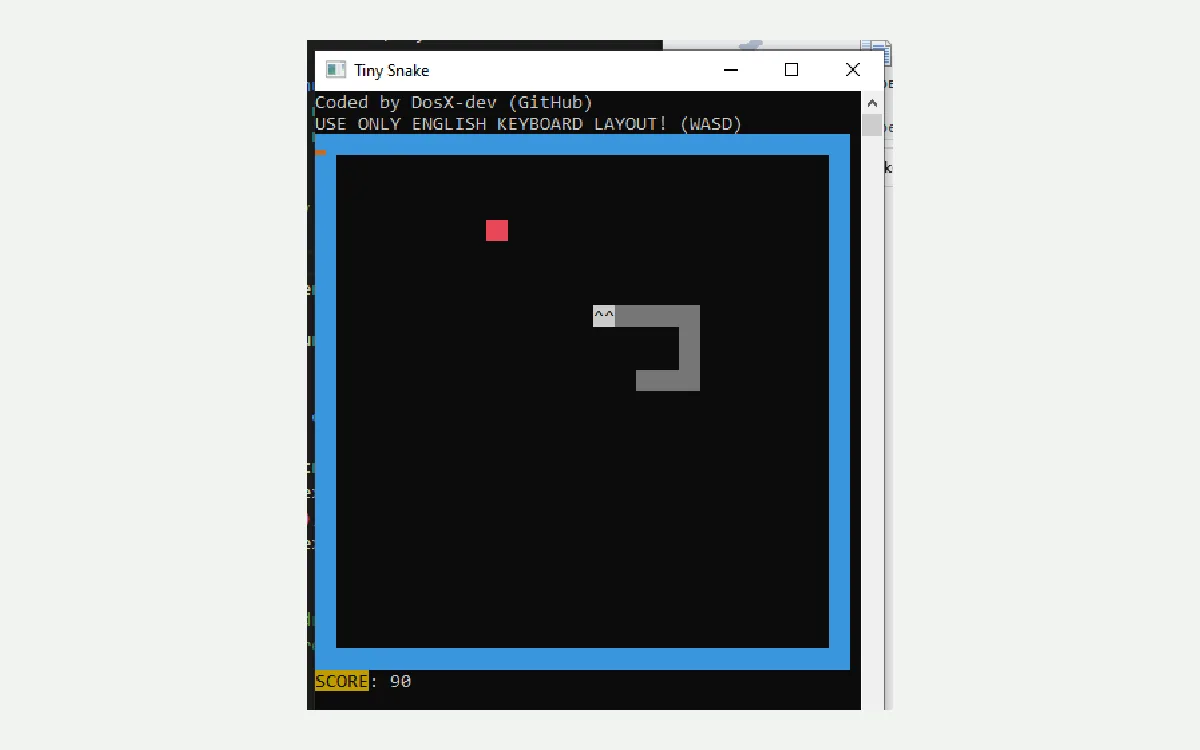
The first hour after a snake game install is for proof, not decoration. Launch TinySnake.x64.exe, finish one short run, and write down the folder path. That boring sequence catches broken downloads before you call the desk ready.
Eight first-hour checks
- Confirm the window opens Launch TinySnake.x64.exe and confirm the snake game window appears on Windows before you change anything else.
- Play one short run Use arrow keys with an English layout, collect an apple, and confirm wrap-around borders behave as documented.
- Note the folder path Write the folder that holds the portable exe on the machine ticket beside the OS version.
- Bookmark Builds Save the GitHub Releases Builds URL so the next snake game update uses the same door.
- Decide on x32 Keep TinySnake.x32.exe only for true 32-bit machines; otherwise remove unused downloads.
- Keep a browser fallback Leave Google Snake bookmarked if policy needs a no-install option, without replacing the desktop path.
- Skip mystery mirrors Refuse portal zips that claim to fix SmartScreen by wrapping a different snake game binary.
- Schedule a re-check After imaging or travel, re-open the exe once to prove the portable still launches.
English keyboard layout matters because upstream documents controls that way. If arrows do nothing, check layout before you redownload the snake game binary. Avoid resizing the window mid-run so the renderer stays stable per the README.
SmartScreen may appear once. Confirm the file still came from DosX-dev/TinySnake-game Releases. Then continue. Do not accept a helper installer from a blog that promises to silence warnings for this snake game.
Keep the Releases door obvious
- Prefer TinySnake.x64.exe on Builds
- Skip survey portals that rename the setup
- Prove one local snake game run
Folder and ticket discipline
Portable apps vanish when Downloads is emptied. Move TinySnake.x64.exe into a games folder you intend to keep, then record that path. Lab images should bake the same path into their checklist so every reimage restores the snake game the same way.
Related guides: first run, controls, update uninstall, download safe, and the pillar at home.
What success looks like
Success is a local window, a known folder, and a bookmark back to Builds. Success is not three competing exes and a browser tab fighting for attention. Keep Google Snake if you need it, yet name TinySnake as the desktop snake game for this machine.
If the first run fails, delete the file, fetch again from Releases, and retest. Partial downloads and renamed mirrors cause most early failures. Coil Quill documents the install map; upstream TinySnake remains MIT at DosX-dev/TinySnake-game.
Write the habit down
Put the Builds URL and the folder path on the machine ticket beside the Windows version so the next snake game update stays boring.
Desk teams that share a single snake game habit should write the Builds URL into the onboarding doc beside the Windows version. That one line prevents three people from fetching three different mirrors during the same lunch break.
When a download fails mid-flight, delete the partial file and start again from GitHub Releases. Partial copies are a common source of tickets that claim the window never opens for this snake game.
Offline clubs can keep a verified USB copy only after the size matches the live Releases list on the day of imaging. Re-check before each semester because the Builds tag can receive new assets without a new semver name.
Checkpoint 1: keep TinySnake.x64.exe on the Builds tag, prove one snake game run, and write the folder path on the ticket.
Parents sometimes want a short entertainment option without opening a browser full of ads. A local snake game exe answers that request when the folder is obvious and the bookmark back to Releases stays in the same note.
Support volunteers should ask which filename you downloaded and which URL showed in the address bar. Those answers separate a correct TinySnake install from a random portal package.
Travel days should include a quick launch test after sleep or docking changes. Some USB antivirus tools quarantine tiny unknowns; restore from Releases rather than from email attachments labeled as a snake game.
When you finish the hour, you should be able to tell a teammate the filename, the folder, and the Releases URL without opening search. That recall is the real install artifact for this snake game path.
Checkpoint 2: keep TinySnake.x64.exe on the Builds tag, prove one snake game run, and write the folder path on the ticket.
Practical checkpoints
Before you call the desk ready, confirm the Releases URL, the exact filename, and one successful local snake game run. Those three checks catch most bad downloads without a long troubleshooting thread.
- URL starts with github.com/DosX-dev/TinySnake-game
- File is TinySnake.x64.exe or TinySnake.x32.exe
- Window opens and arrows move the snake
Sharing the path with others
When you send install help to a friend, paste the Builds Releases link rather than a search phrase. Search phrases attract portals. Named Releases assets keep the snake game story boring and recoverable after a wipe.
Clubs can print a one-page card with the filename and the folder path. Teachers can add the same card to the LMS. Travel kits can store a second verified copy only after size matches the live release list.